How to Choose the Right Laptop LCD Screen: A Complete Buying Guide
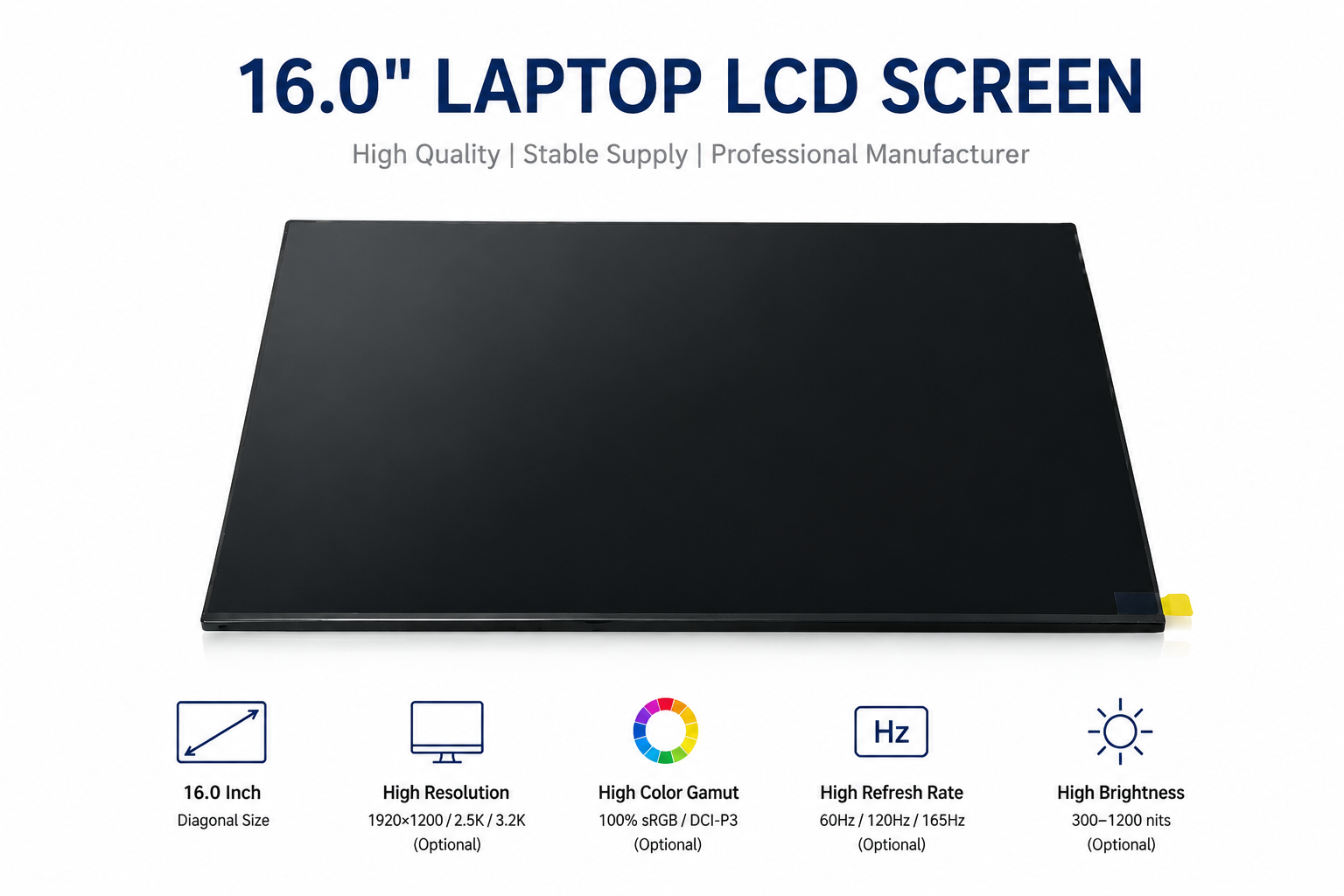
Choosing the right laptop LCD screen is not simply about matching the screen size. A compatible replacement or project display should also match the resolution, interface, connector, refresh rate, dimensions, and other key specifications.
Whether you are replacing a laptop screen, sourcing LCD panels for wholesale, or building a DIY portable monitor, this guide will help you choose the right panel.
What Should You Check When Choosing a Laptop LCD?
Before buying a laptop LCD panel, check these key specifications:
• Screen size
• Resolution
• Aspect ratio
• Panel technology
• Refresh rate
• Interface
• Connector and pin count
• Physical dimensions
• Brightness and color gamut
• Application and compatibility
The original panel model number is usually the best starting point when looking for a replacement.
1. Check the LCD Panel Model Number
The model number printed on the back of the original LCD panel is one of the most useful pieces of information.
Examples include:
• NE160QDM-NY1
• NE160QDM-NY2
• N156HCA-EAB
• TL142GDXX01
Two panels can have the same size and resolution but still be incompatible because of differences in interface, pin configuration, dimensions, voltage, or mounting position.
Tip: When requesting a quotation, provide the original panel model number and a photo of the panel label whenever possible.
2. Choose the Right Screen Size and Aspect Ratio
Common laptop LCD sizes include 13.3", 14.0", 15.6", 16.0", and 17.3".
However, the same diagonal size does not always mean the same physical dimensions.
For example, 16-inch panels may use different aspect ratios such as 16:10 or 16:9, resulting in different width and height.
Popular laptop display formats include:
Resolution
Aspect Ratio
Typical Application
1920×1080
16:9
General laptops
1920×1200
16:10
Business / Productivity
2560×1600
16:10
High-performance laptops
3000×2000
3:2
Professional / Productivity
3200×2000
16:10
Premium / High-resolution displays
For a replacement project, the physical dimensions and mounting design should also be checked.
3. Consider Resolution and Refresh Rate
Resolution affects image sharpness, while refresh rate affects motion smoothness.
Common laptop LCD specifications include:
• 60Hz – General office and everyday use
• 90Hz – Smooth productivity and scrolling
• 120Hz – Gaming and premium laptops
• 165Hz – Gaming and high-performance applications
• 240Hz – High-end gaming
For example, a 16-inch 2560×1600 165Hz LCD offers a combination of high resolution and smooth motion, making it suitable for gaming laptops and DIY portable monitors.
Higher refresh rate is not always better. The laptop motherboard, GPU, display cable, and controller board must also support the target refresh rate.
4. Check eDP, LVDS and Connector Specifications
The display interface is one of the most important compatibility factors.
Modern laptop LCD panels commonly use eDP (Embedded DisplayPort), while older laptops and industrial systems may use LVDS.
You should also check whether the panel uses a:
• 30-pin connector
• 40-pin connector
However, pin count alone does not guarantee compatibility.
Two 40-pin eDP panels may have different pin definitions, voltage requirements, eDP lanes, or refresh-rate capabilities.
Before ordering, verify:
• Interface
• Connector type
• Pin count
• Pin definition
• eDP lanes
• Voltage
• Resolution
• Refresh rate
5. Choose the Right Panel Technology
IPS LCD
IPS panels are widely used in laptops and portable monitors because they offer wide viewing angles and good color performance.
They are suitable for:
• Business laptops
• Gaming laptops
• Portable monitors
• Professional displays
Mini LED
Mini LED is a backlight technology that can provide higher brightness and improved local dimming compared with conventional LCD backlighting.
It is especially suitable for:
• HDR displays
• Premium laptops
• Professional applications
• Gaming
• High-end portable monitors
For example, a 16-inch 3.2K Mini LED display with high brightness, HDR and a wide color gamut can be an attractive solution for professional and premium display applications.
6. Check Brightness and Color Gamut
Brightness is generally measured in nits, while color gamut describes the range of colors a display can reproduce.
Typical specifications include:
• 250–300 nits – Standard applications
• 350–500 nits – Brighter laptop displays
• 500+ nits – Premium displays
• 1000+ nits – High-brightness HDR applications
For professional applications, also consider color gamut such as:
• sRGB
• DCI-P3
• Adobe RGB
A high DCI-P3 coverage display can be useful for photography, video editing, graphic design, and other color-sensitive applications.
7. Check Physical Dimensions
Electrical compatibility is only part of the selection process.
Before purchasing, compare:
• Width
• Height
• Thickness
• Mounting holes
• Bracket position
• Connector location
This is particularly important for:
• Laptop replacement
• DIY portable monitors
• Industrial displays
• Embedded devices
• Custom display projects
A panel can have the correct resolution and connector but still fail to fit the target device.
8. Choosing an LCD for a DIY Portable Monitor
Laptop LCD panels can be used to build DIY portable monitors with a compatible controller board.
A typical setup is:
LCD Panel → eDP Controller Board → USB-C / HDMI → Power
For a DIY project, check:
1. LCD model
2. Resolution
3. Refresh rate
4. eDP connector
5. eDP lane configuration
6. Controller-board compatibility
7. Power requirements
8. Physical dimensions
A 16-inch 2.5K 165Hz panel can be an excellent starting point for a high-refresh-rate portable monitor, provided the controller board supports the required specifications.
9. Common Mistakes When Buying Laptop LCD Panels
Choosing only by screen size
A 16-inch panel is not necessarily compatible with every 16-inch laptop.
Ignoring the interface
eDP and LVDS are different technologies and are generally not directly interchangeable.
Assuming all 40-pin panels are compatible
Pin count alone is not enough. Always check the complete specification.
Looking only at resolution
Two panels with the same resolution can have very different refresh rates, brightness, dimensions, and interfaces.
Buying without checking the datasheet
For B2B and custom projects, a datasheet can help confirm electrical and mechanical compatibility before ordering.
10. What Information Should You Provide When Buying LCD Panels?
For a faster quotation and compatibility check, provide:
Panel Model: NE160QDM-NY1
Size: 16.0 inch
Resolution: 2560×1600
Interface: eDP
Refresh Rate: 165Hz
Quantity: Required quantity
Application: Laptop replacement / Portable monitor / Industrial / Other
If the exact model is unavailable, an experienced LCD supplier may also be able to recommend compatible or alternative panels.
FAQ
How do I find the right replacement LCD for my laptop?
Start with the model number printed on the original LCD panel. Then compare size, resolution, interface, connector, dimensions, and electrical specifications.
Are all 40-pin eDP LCD panels compatible?
No. 40-pin only describes the connector configuration. The pin definition, voltage, eDP lanes, resolution, and other specifications must also match.
Can I use a laptop LCD as a portable monitor?
Yes. Many laptop LCD panels can be converted into portable monitors using a compatible controller board.
Is 165Hz better than 120Hz?
165Hz provides smoother motion than 120Hz, but the benefit depends on the application and whether the host device and controller support the higher refresh rate.
Can I replace an LVDS panel with an eDP panel?
Not normally as a direct replacement. LVDS and eDP use different signaling technologies and require compatible hardware.
Final Thoughts
Choosing the right laptop LCD requires more than matching screen size and resolution. Panel model, interface, connector, refresh rate, physical dimensions, brightness, color gamut, and application requirements should all be considered.
For laptop replacement, start with the original panel model number. For DIY portable monitors and custom display projects, pay particular attention to eDP compatibility and controller-board support.
For wholesale and OEM projects, working with a supplier that can provide accurate specifications, datasheets, samples, alternative models, and technical support can help reduce compatibility risks.
Samfong supplies laptop LCD panels, high-resolution and high-refresh-rate displays, Mini LED panels, industrial LCDs, and DIY portable monitor display solutions for OEM, wholesale, repair, and custom display applications.
Need help finding a specific LCD panel? Send us your panel model number or project requirements for a compatibility check and quotation.